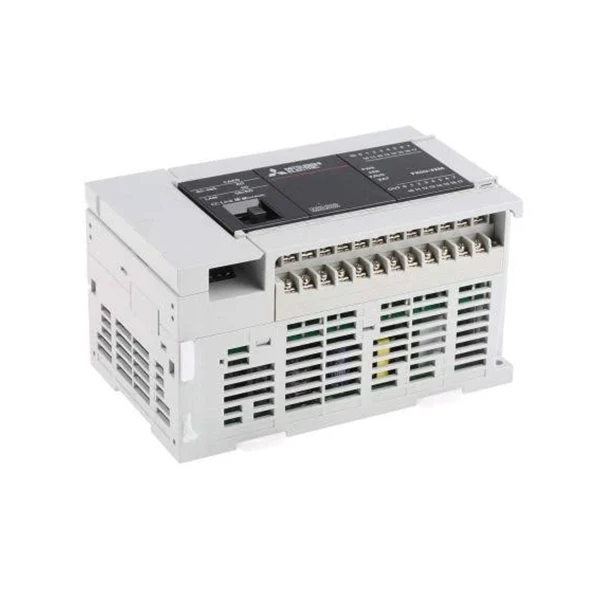
FX5U-32MR/ES Mitsubishi

FX5U-32MR/ES Mitsubishi
Detay yo:

Model:FX5U-32MR/ES
Voye rechèch
Dekri teren
Voye rechèch

FX5U-32MR/ES Mitsubishi


FX5U-32MR/ES

FX5U-32MRES Mitsubishi
FX5U-32MRES


FX5U-32MR/ES Mitsubishi;Mitsubishi PLC;PLC with relay output;FX5U-32MR/ES PLC with AC power supply;PLC with 16 inputs and 16 relay outputs;FX5U PLC with 200kHz high-speed counter;PLC with built-in 2-channel analog input;


150mm x 90mm x 83mm (width x height x depth)
16 points
AC100 - 240V
DC5V 2mA
0~55 degree
0.65kg


The Mitsubishi FX5U-32MR/ES Programmable Logic Controller (PLC) is a high-performance and versatile automation solution. This device provides efficient power supply operation from 100 to 240 volts AC, making it suitable for a variety of control systems. Its architecture enables a comprehensive I/O layout of 32 points, comprising 16 inputs and 16 outputs.


With a considerable program capacity of 64,000 steps, the FX5U-32MRES meets sophisticated programming needs, successfully catering to complicated automation operations. The mounting variety permits installation via DIN rails or direct panel mounting, enabling installation flexibility to fit varied settings in the field.


The Mitsubishi FX5U-32MR/ES PLC is a reliable and cost-effective option for applications that require high-performance control and monitoring.


Q: What programming languages does the FX5U-32MR/ES Mitsubishi support?

A: The Mitsubishi FX5U-32MR/ES Programmable Logic Controller (PLC) provides numerous programming languages to satisfy the diverse programming demands and preferences of its customers. The primary languages are Ladder Diagram, Instruction List, Structured Text, Function Block Diagram, and Sequential Function Chart.

Q: How to switch between sink/source input for FX5U-32MR/ES? Is hardware jumpers or software configuration required?

A: The sink/source input switching of the Mitsubishi FX5U-32MR/ES PLC is typically achieved through software configuration and generally does not require hardware jumpers. Using Mitsubishi's GX Works3 programming software, the input mode can be configured as follows:
1.Open the GX Works3 software and create or open a project for the FX5U-32MR/ES.
2.In the software interface, find the "PLC Parameters" option and click to enter the parameter settings interface.
3.In the parameter settings interface, locate the options related to "Input Settings," where you can select "Sink Input" or "Source Input."
4.After completing the selection of the input mode, save the settings and download the parameters to the PLC.


Baj popilè: fx5u-32mr/es mitsubishi, China fx5u-32mr/es mitsubishi suppliers

Voye rechèch